Small Business AI Roadmap That Produces Results
Build a small business AI roadmap around costly workflows, clean data, human approvals, and measurable returns - not vague AI experiments that often stall.
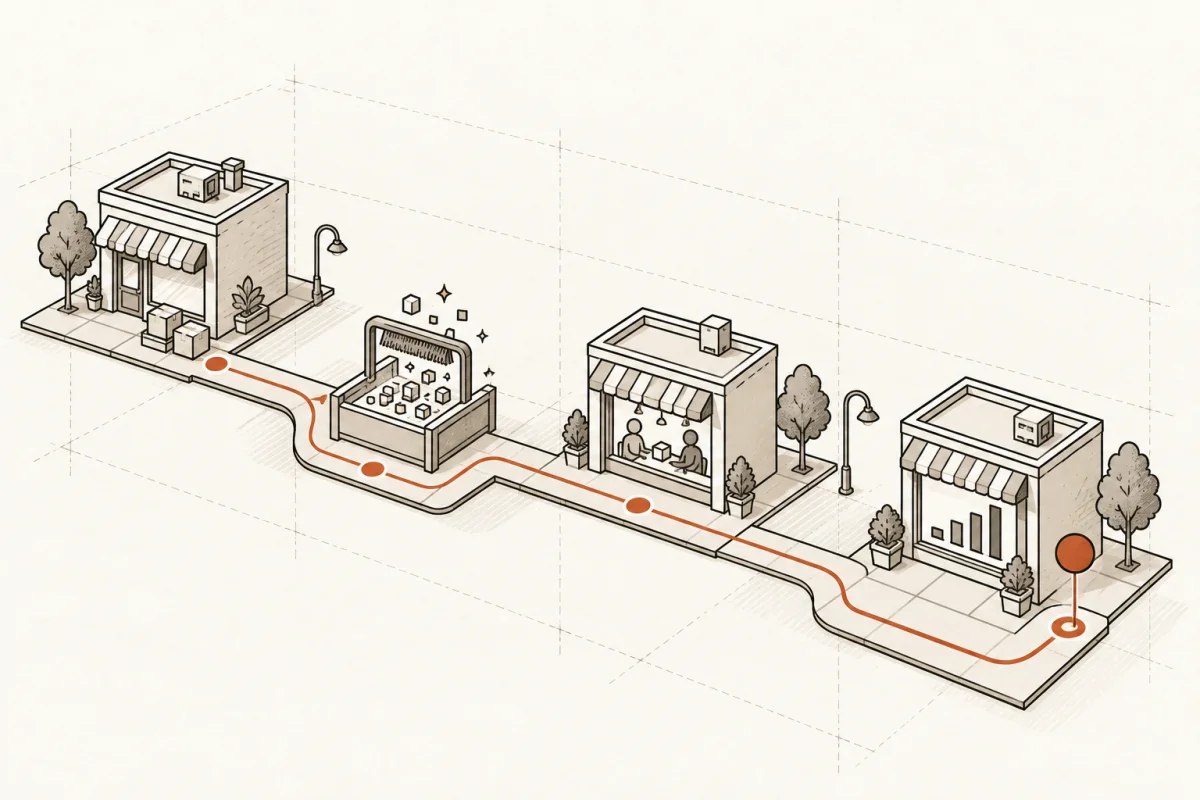
A useful small business AI roadmap does not begin with a chatbot, a vendor demo, or a company-wide mandate to “use AI.” It begins where money and time are already leaking out of the operation: the inbox nobody can keep up with, the estimates assembled from five systems, the customer follow-up that depends on one person remembering, or the weekly reporting ritual that consumes Friday afternoon.
If the proposed AI project cannot name the workflow, the owner, the inputs, the approval point, and the expected operating result, it is not a roadmap. It is a purchase request.
Start with the three workflows that cost the most
Most small and mid-size businesses do not need ten AI use cases. They need one or two systems that remove recurring administrative drag without creating a new management problem.
Start by looking for work that is high-volume, repetitive, rules-based, and expensive when delayed. That might mean intake and lead qualification for a law practice, job quoting for a contractor, claims-document processing for an insurance office, appointment follow-up for a wellness provider, or purchase-order and inventory exceptions for a retailer.
Measure the current state before discussing tools. Ask how many hours each week the workflow consumes, how often work is re-entered across systems, where errors occur, and what happens when the process slows down. Also identify the cost of delay. A lead answered two days late is not just an inbox problem. It may be lost revenue.
A practical scoring method is simple: rank candidate workflows by labor cost, revenue impact, error risk, and implementation difficulty. The best first project usually has a clear financial consequence and a manageable level of complexity. The messiest process is not always the right place to start. If it relies on undocumented judgment, scattered files, and constant exceptions, clean up the process before asking AI to operate inside it.
Define the operating result before choosing technology
“Implement AI” is not an outcome. “Reduce first-response time from 18 hours to 30 minutes while routing qualified leads to the correct salesperson” is an outcome.
For every proposed build, write a one-page operating definition. It should state what starts the workflow, what data the system can access, what the AI is allowed to do, what requires human approval, where the final record lives, and how success will be measured. This is how an AI project becomes business infrastructure instead of another disconnected app.
The key question is not whether AI can draft, classify, summarize, or recommend. It can often do all four. The question is whether the output enters a real process with clear ownership.
For example, an accounting firm may use AI to extract client document details, flag missing information, and prepare a workpaper checklist. That can save substantial preparation time. But the system should not make tax judgments, submit filings, or silently overwrite accounting records. The reviewer remains accountable. AI prepares the work; experienced staff make the call.
This boundary matters in every industry. A sales agent can prepare follow-up and suggest next actions, but a manager should own pricing exceptions. A construction assistant can compare plans and identify missing items, but the estimator should approve the bid. Explainable, overridable systems are slower than fully autonomous promises in a demo. They are safer, easier to adopt, and far more defensible in a real business.
Fix the data path, not just the prompt
A prompt can look impressive while the underlying business process remains broken. If customer records live in three places, product names are inconsistent, and staff rely on personal spreadsheets, AI will repeat the confusion at greater speed.
Your small business AI roadmap should map the data path for each priority workflow. Identify the source of truth, the systems that need to exchange information, the fields that are required, and the records that must remain inside your environment. Then decide what information should never be sent to an external model or third-party service.
This is not a call to rebuild every database before taking action. Small businesses cannot afford endless cleanup programs. It is a call to make the specific data used by the first workflow reliable enough to support a working system.
In many cases, the right solution is an integration layer that pulls approved data from the CRM, email platform, phone system, scheduling tool, accounting software, or document repository into one controlled workflow. The system can then create a draft, update the right record, alert the right person, and log what happened.
Data controls should be decided before deployment, not after an employee pastes sensitive customer information into a public AI tool. Define access by role, retain an activity trail, set retention rules, and test the system against bad or incomplete inputs. For healthcare, financial services, legal work, and other sensitive operations, the implementation details are not secondary. They are the project.
Build a 90-day plan with production checkpoints
A roadmap needs dates, owners, and decision points. Without them, AI remains an initiative that is always about to start.
A realistic first 90 days can be organized into four stages:
- Days 1-15: Audit the workflow. Document the current process, baseline costs, identify systems and data, and name the business owner who will make decisions.
- Days 16-30: Design the build. Define the approved actions, exceptions, human handoffs, security requirements, and acceptance criteria.
- Days 31-60: Build and test. Connect systems, configure agents or automations, test edge cases, and use real but controlled operating data.
- Days 61-90: Deploy and improve. Train staff, monitor use, correct failure points, and measure results against the original baseline.
The 90-day target is not a magic number. A narrowly scoped lead-routing or document-preparation workflow may go live sooner. A multi-department back-office system will take longer. What matters is that the first release reaches production with a defined group of users and a measurable job to do.
Avoid the two common extremes. Do not launch a half-tested system across the company because leadership wants a fast announcement. Do not spend six months in workshops because the team wants perfect certainty. Build the smallest useful version, put it in the hands of the people who do the work, and improve it against observed results.
Assign ownership and plan for staff adoption
AI systems fail when everyone is responsible and no one is responsible. The business owner should set the operating goal and approve trade-offs. A process owner should define the day-to-day rules. Technical support should maintain integrations, access, and monitoring. Frontline users should have a direct way to report bad outputs and suggest improvements.
Training should focus on the actual job, not abstract AI literacy. Show staff what the system does, what it does not do, when they must review it, and how to override it. Make it clear that reporting a mistake is part of operating the system well, not a sign that someone is resisting change.
Adoption is also a design test. If people route around the system after two weeks, find out why. Maybe the response drafts are too generic. Maybe the required information is not available at the point of use. Maybe the approval process is too slow. Low adoption is not always a training problem. It often exposes a workflow problem that was present before AI arrived.
Measure return in operational terms
The return on an AI system should be visible in the operation, not buried in a slide deck. Track preparation hours returned, response-time reduction, error rates, turnaround time, completed work per employee, conversion rate, and the percentage of staff using the system each week.
Do not count every saved minute as immediate payroll savings. If no positions are reduced, the value may show up as capacity: more client work completed, faster service, fewer late nights, or less dependence on a single employee. That is still real value, but it should be described honestly.
Set a review cadence after launch. Look at the volume processed, exceptions requiring human intervention, system accuracy, user feedback, and financial impact. Then decide whether to improve the first workflow, expand it to another team, or stop using it. Stopping a weak build is better than carrying an expensive experiment forward because someone does not want to admit it missed the mark.
Main & Machine approaches AI this way because working operations need more than advice. They need scoped systems, clear controls, and a measured path from manual work to dependable production use.
The right next step is not to ask which AI tool is best. Put one costly workflow on paper, assign an owner, calculate what it costs today, and decide what a better Monday morning would look like. That is where a roadmap earns its name.
Where this shows upWhat we actually build →