AI Software Integration That Fixes Real Work
AI software integration connects the tools, data, and workflows your team already uses, cutting repeat work while keeping people accountable for decisions.
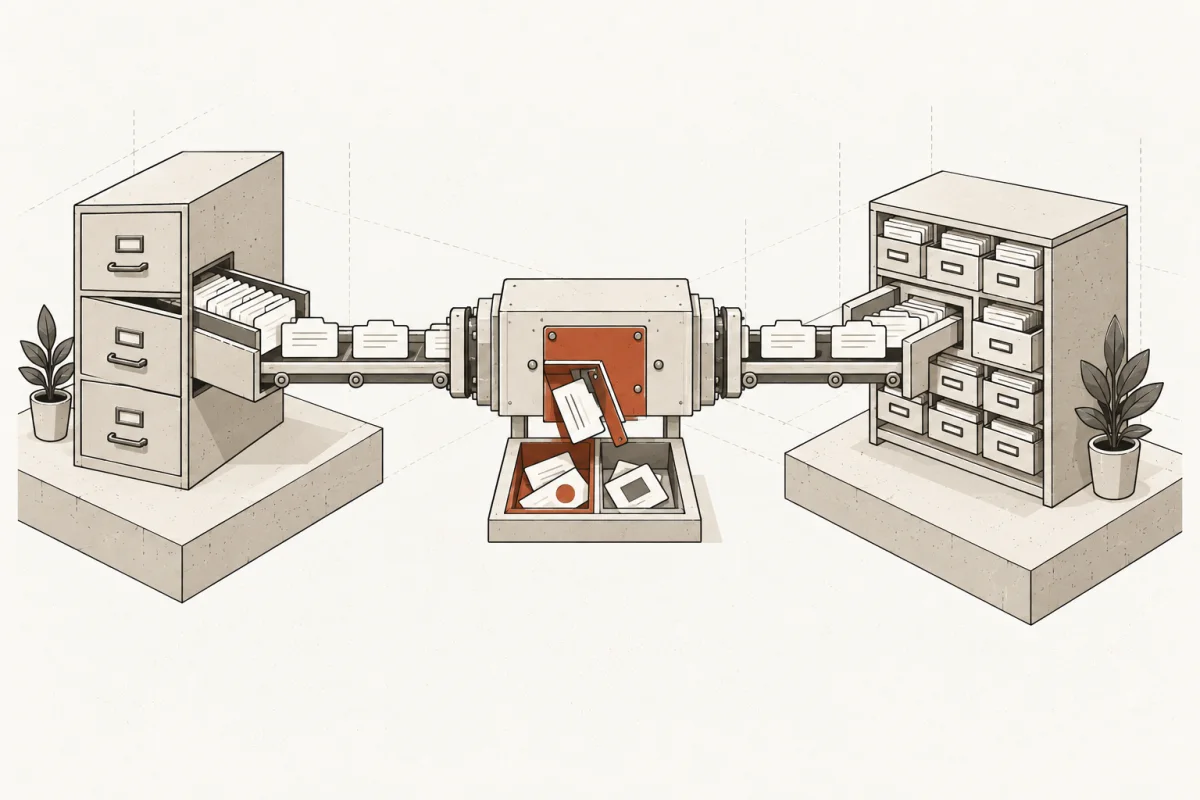
A lead comes in at 4:47 p.m. Someone copies it from email into the CRM, another person checks a spreadsheet, and the follow-up waits until morning. The problem is not that your team lacks software. It is that the software does not share the work. AI software integration fixes that gap by connecting the systems you already pay for and assigning routine steps to controlled, reviewable automation.
For a small or mid-size business, this is not a technology experiment. It is an operations decision. Done well, it reduces duplicate entry, shortens response times, gives staff the right context when they need it, and leaves final judgment with the person accountable for the outcome. Done poorly, it adds another dashboard, creates bad data faster, and gives employees one more process to work around.
What AI software integration actually means
AI software integration is the practical work of connecting business applications, data sources, and AI capabilities so information can move through a real workflow without constant manual handling. The goal is not to put a chatbot beside every application. The goal is to remove costly handoffs while preserving the controls that matter.
Consider a service business with a CRM, email inbox, scheduling platform, accounting system, and shared drive. A useful integrated system can read an approved inbound inquiry, classify the service need, check the right records, draft a response, create a follow-up task, and flag exceptions for a staff member. It should not independently promise pricing, approve a contract, or make a clinical, legal, financial, or personnel decision.
That distinction matters. Automation handles repeatable preparation work. People own commitments, exceptions, and judgment calls.
Start with the workflow, not the AI tool
Businesses often begin by asking which AI platform to buy. That is backwards. A tool cannot repair an undefined process or reconcile data that nobody owns.
Start with a workflow that has visible cost. It might be lead intake, estimate preparation, claims processing, invoice follow-up, client onboarding, appointment confirmations, job scheduling, or weekly reporting. Map what happens from the first trigger to the final result. Name the systems involved, the handoffs, the approval points, and the places where employees retype, search, wait, or chase information.
The best first candidates usually have three traits: they happen frequently, they follow a recognizable pattern, and a human can review the output before a consequential action occurs. A low-volume executive decision is rarely the right place to begin. A daily process that consumes 30 minutes across six employees often is.
A readiness audit should also identify process problems that no integration should automate. If sales records use inconsistent stages, or technicians record job notes differently every time, adding AI may amplify the inconsistency. Define the data standard and decision rules first. Then build.
Connect the right layers of the operation
A working implementation generally connects four distinct layers. Each has a job, and skipping one creates brittle automation.
- Systems of record: Your CRM, accounting platform, practice-management system, ERP, scheduling application, or other source that holds the official business record.
- Communication channels: Email, forms, phone transcripts, customer messages, and internal requests where work first appears.
- Business knowledge: Approved documents, policies, service descriptions, procedures, templates, and historical context needed to prepare useful work.
- Human controls: Approval queues, escalation rules, audit logs, permissions, and clear ownership when the system is uncertain or an exception appears.
The AI component sits inside this structure. It can extract details from a document, categorize a request, summarize a case history, draft a response, or recommend the next step. The integration layer moves that output to the right place and records what happened. Human controls prevent an uncertain answer from becoming an unreviewed business action.
This is why a standalone AI subscription rarely delivers much operational value by itself. Employees still copy information between tabs, hunt for source material, and manually enter the result. The useful work happens when AI is connected to the systems where the work already lives.
Build for exceptions, not just the happy path
A polished demo handles a clean request with complete information. Real operations receive incomplete forms, duplicate contacts, missing attachments, unclear language, overdue accounts, and requests that do not fit the normal category.
The system needs explicit rules for those cases. If an inquiry lacks a phone number, should it create a task or send a request for more information? If an invoice amount differs from the signed estimate, should it stop and route to a manager? If a customer asks a question outside approved policy, should the AI draft a reply or simply assign it to a specialist?
These are operating rules, not technical footnotes. Write them down before development begins. A good build includes a confidence threshold, an exception queue, an accountable owner, and a record of the source information used. When the AI cannot meet the standard, it should say so and hand the work back to a person.
There is a trade-off here. More automation can reduce handling time, but tighter controls may require more reviews. The right balance depends on the consequence of an error. A draft social post can tolerate a lighter review process than a patient reminder, insurance recommendation, payment approval, or legal-client communication.
Keep your business data under control
Data security is not solved by putting a privacy statement in front of an AI tool. Business leaders need to know what information is sent, where it is processed, who can access it, what is retained, and what staff can override.
Limit the system to the minimum data required for the task. Use role-based access so an employee only sees information needed for their role. Separate testing from production. Log integrations and approvals. Establish retention rules for generated material and source data. If customer identifiers, health information, financial details, or confidential files are involved, document the restrictions before the build starts.
The same discipline applies to knowledge sources. An AI assistant should use approved policies and current documents, not whatever happens to be in a forgotten folder. Someone must own updates. Otherwise, a helpful-looking answer can be based on expired pricing, old procedures, or a superseded contract template.
Measure the return in operating terms
“Time saved” is a starting point, not a complete business case. Measure the workflow before and after implementation using numbers your operation already understands: response time, jobs scheduled, invoices collected, errors corrected, cases processed, staff hours spent preparing work, and customer follow-through.
For example, an accounting firm may use an integrated intake process to collect documents, identify missing items, create tasks, and prepare a staff review packet. The value is not merely fewer emails. It is faster file completion, fewer stalled engagements, and senior staff spending less time on document chasing.
A construction company may connect web leads, phone notes, service areas, estimating records, and calendars. The useful measure is not how many AI messages were generated. It is whether qualified leads receive a timely response, estimates are prepared faster, and dispatchers spend less time assembling basic job context.
Set a baseline before deployment. Give the implementation 30, 60, and 90-day checkpoints. If usage is low, find out why. The issue may be poor training, an extra approval step, missing context, or a workflow that was not valuable enough to automate. Software that is technically live but ignored by staff is not a successful implementation.
Choose a deployment scope your team can absorb
There are two common mistakes: trying to rebuild the entire company at once, and settling for an isolated proof of concept that never reaches production. A better approach is a defined first implementation tied to a high-cost workflow, followed by expansion once the system is used and trusted.
A targeted build might connect intake forms, email, the CRM, and a shared knowledge base for one department. A broader back-office system can coordinate multiple agents and workflows across sales, operations, finance, and service. Neither is automatically better. Scope should match data readiness, process maturity, available staff ownership, and the financial cost of the current problem.
The delivery plan should be inspectable. It should state what systems are included, what data is required, which actions are automated, which actions require approval, what training is provided, and what happens after launch. Fixed written scope prevents the familiar pattern where an inexpensive pilot turns into an open-ended integration bill.
Main & Machine approaches this work as operational infrastructure: identify the highest-cost workflows, build the connected system, train the team, and keep human ownership of final decisions. That is a more useful standard than chasing a flashy AI feature.
The test is whether work moves differently on Monday
The right AI software integration does not ask your staff to admire it. It changes the day-to-day mechanics of work. A coordinator starts with a complete request instead of a blank screen. A manager sees exceptions instead of digging through routine activity. A customer receives a timely, accurate response because the relevant information reached the right person sooner.
Start with the recurring work that frustrates capable people and costs measurable time. Define the decision boundaries, connect the systems of record, and make every automated action visible and overridable. When the system earns trust in one workflow, you have a practical foundation for the next one.
Where this shows upWhat we actually build →