Explainable AI for Business Decisions That Hold Up
Explainable AI for business decisions gives leaders clear reasons, practical controls, and audit trails before automation affects customers, cash, or staff
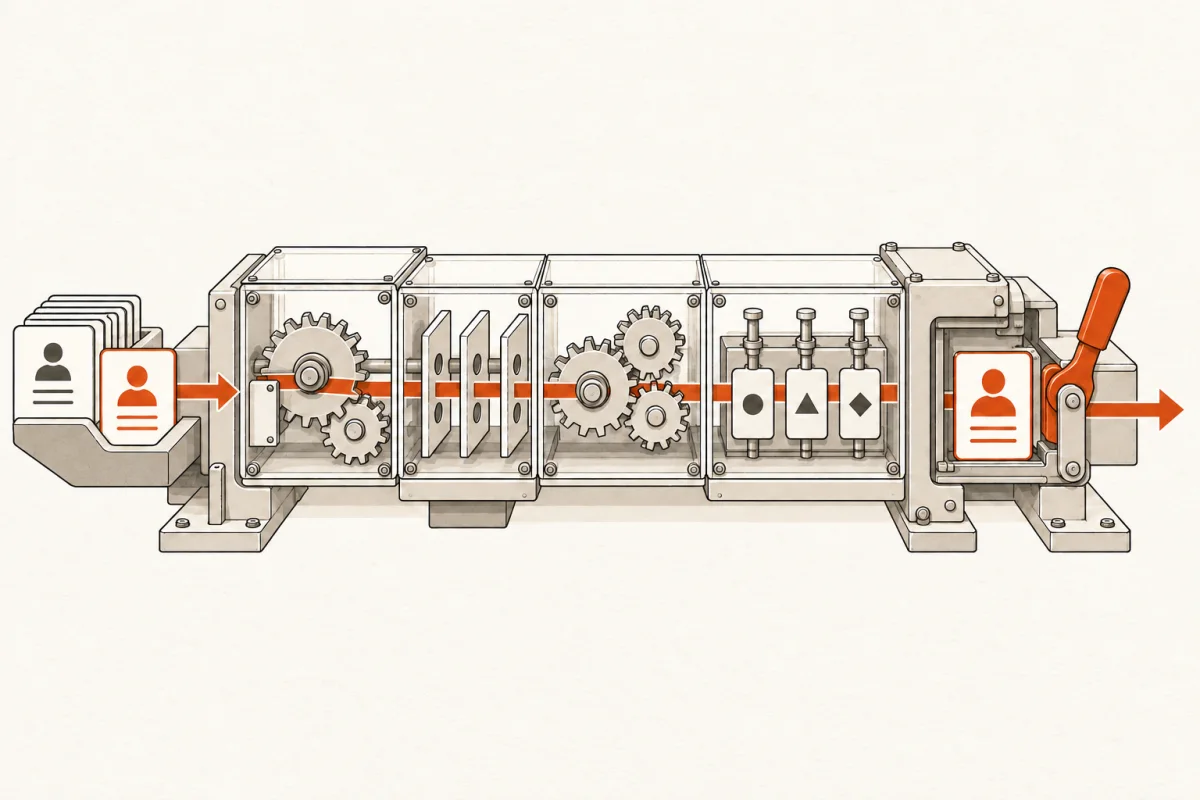
A lead sits untouched for six hours because the routing system scored it as low priority. A loan application is flagged for review, but nobody can say which source record triggered the flag. A scheduling agent moves a technician to another job and creates a missed appointment. These are not AI problems in the abstract. They are operating problems with real revenue, customer, and accountability costs.
Explainable AI for business decisions means your team can see what the system used, why it made a recommendation, what confidence it has, and how a person can correct it. For a small or mid-size business, that is not a nice feature. It is the difference between useful automation and an expensive black box.
A Recommendation Is Not a Decision Owner
Most business AI should recommend, sort, summarize, draft, detect, or route. It should not quietly become the final authority on a decision that affects money, contracts, safety, hiring, patient care, or a customer relationship.
That distinction gets lost when vendors promise “autonomous” operations. Automation can remove repetitive work. It can prepare a better decision faster. But the business still owns the outcome. A sales manager owns account priority. A controller owns a payment hold. A practice manager owns staffing choices. AI does not absorb that responsibility because it generated an answer.
An explainable system makes the handoff visible. It might say: “This lead was routed to the commercial queue because the form selected 50+ employees, the company is within the service area, and the estimated project value exceeds $25,000. Confidence: 82%.” A manager can approve it, change it, or mark the rule wrong.
That is materially different from a system that says, “High priority,” with no basis, no record, and no practical way to challenge the result.
What Business-Ready Explainability Looks Like
Explainability does not require your team to understand model architecture or read a technical research paper. It requires enough operational clarity for the person accountable for the process to inspect the result.
For each important AI-assisted action, the system should answer four plain questions: What information did it use? What rule, instruction, or pattern influenced the result? How certain is the result? What can a person do next?
The answer should appear where the work happens. If a customer-service agent drafts a response in the help desk, the source ticket, customer history, and relevant policy should be available beside the draft. If an accounts-payable workflow flags an invoice, the flag should point to the duplicate invoice number, unusual amount, missing purchase order, or vendor mismatch that caused it.
The system also needs a record. When a manager overrides a recommendation, that override should be captured. Over time, those corrections show whether the process needs better data, tighter rules, a revised prompt, or a different approval threshold.
Explainability is not a long explanation generated after the fact. It is a working control inside the workflow.
Start With Decisions That Have Clear Inputs and Clear Owners
Not every workflow is ready for AI-assisted decision-making. The best starting points usually have a repeatable pattern, defined source data, a measurable outcome, and one person or role that can own the final call.
Lead qualification is a common example. The system can read intake forms, emails, and CRM records; identify fit criteria; assign a score; and route the lead. The sales team still decides whether to pursue it. If the routing is wrong, the team can see why and fix the criteria.
Other strong candidates include invoice exception review, client onboarding checks, service-ticket triage, inventory reorder recommendations, job-cost variance alerts, and document classification. Each can reduce copy-and-paste work without pretending that the machine knows the business better than the people running it.
The wrong starting point is a vague request such as “make our operations autonomous.” That has no decision boundary, no success measure, and no accountable owner. It produces a demo, not an operating system.
Set the Rules Before You Build
A useful implementation begins by defining the decision policy in business language. What should happen automatically? What must be reviewed? What should never be sent to an AI system? What level of confidence is enough to proceed?
For example, an insurance agency might allow AI to extract policy details and prepare renewal outreach. It may require account-manager approval before changing coverage information or sending an exception notice. A construction company may let an agent identify schedule conflicts but require a project manager to approve any crew reassignment.
Those limits are not a failure of AI. They are the design. The right level of automation depends on error cost. A minor formatting error in an internal meeting summary can be fixed in seconds. A wrong compliance statement, payment release, or medical scheduling change can cost far more. The higher the consequence, the stronger the review gate should be.
Write these controls down before configuration starts. A practical specification should identify the input systems, allowed data, decision criteria, confidence thresholds, human approvers, escalation path, and audit record. If a provider cannot explain those items in plain language, the scope is not ready.
Build for Overrides, Not Just Accuracy
Accuracy matters, but an accuracy percentage alone does not tell you whether a system is safe or useful. A workflow can be 95% accurate and still create major damage if the remaining 5% involves high-value customers, payroll, contracts, or regulated records.
The better question is: What happens when the system is wrong?
A workable AI system gives staff an obvious override. It does not bury correction behind an admin request or require someone to edit a spreadsheet outside the process. A dispatcher should be able to change a recommended job priority. An intake coordinator should be able to reclassify a request. A finance manager should be able to release or reject a flagged transaction, with a short reason.
Those actions should improve the system rather than disappear. If employees repeatedly override the same recommendation, that is operational evidence. Perhaps the source data is stale. Perhaps a key business rule was never included. Perhaps the AI is being asked to infer something that should be captured directly on a form.
At Main & Machine, this is treated as a build requirement: people retain final judgment, and the workflow shows them enough context to use that judgment well. The goal is not to make staff rubber-stamp a machine. It is to return their time from preparation work while preserving their expertise for the calls that matter.
Keep the Evidence Close to the Decision
An audit trail is useful only if it is specific enough to investigate. “AI recommended this” is not evidence. A usable record connects the action to the inputs and operating rules in effect at that moment.
For a business workflow, that may include the source documents or record IDs, relevant extracted fields, the automation version, the confidence score, the recommendation, the person who approved or overrode it, and the final action. Sensitive data should be handled according to the company’s security requirements, not copied broadly because it is convenient.
This matters for more than compliance. It makes process improvement possible. When a customer asks why a request was delayed, your team can trace the path. When an owner wants to know why conversion fell, the team can distinguish a bad model rule from a staffing issue or weak source data. When a vendor changes a form or software integration, the break is easier to find.
Measure the Business Result and the Control Result
Do not judge explainable AI by how impressive it sounds in a meeting. Measure whether it improves the workflow without creating hidden rework.
Track operational outcomes such as response time, preparation hours returned, error rate, exception volume, cycle time, conversion, and staff adoption. Then track control outcomes: override rate, reason for override, low-confidence volume, decisions escalated, and incidents caught before they reached a customer or transaction.
High overrides are not automatically bad. In the first weeks, they may show that employees are actively checking the system and teaching it the reality of the operation. The concern is unexplained overrides that persist without process changes. That means nobody owns tuning the workflow.
A production AI system should be reviewed on a schedule. Monthly may be enough for a stable internal process. A high-volume customer-facing workflow may need weekly review. The schedule depends on how often inputs, policies, and business conditions change.
The Practical Standard
You do not need an AI program full of committees, slide decks, and broad principles that never reach the front line. You need a defined workflow, connected data, clear decision boundaries, visible reasoning, and a human who can intervene.
That standard protects the business while still delivering speed. It gives employees a reason to trust the system because they can inspect it. It gives leaders a way to defend decisions because the evidence is retained. And it keeps automation in its proper role: doing the repetitive preparation work so experienced people can make the calls that require judgment.
The next AI workflow you approve should pass a simple test: when it makes a recommendation that affects a customer, dollar, or employee, can the responsible person explain what happened and change it? If the answer is no, it is not ready for production.
Where this shows upWhat we actually build →