AI Employee Training Program That People Use
An AI employee training program teaches real workflows, protects human judgment, and checks adoption before the business expands the rollout.
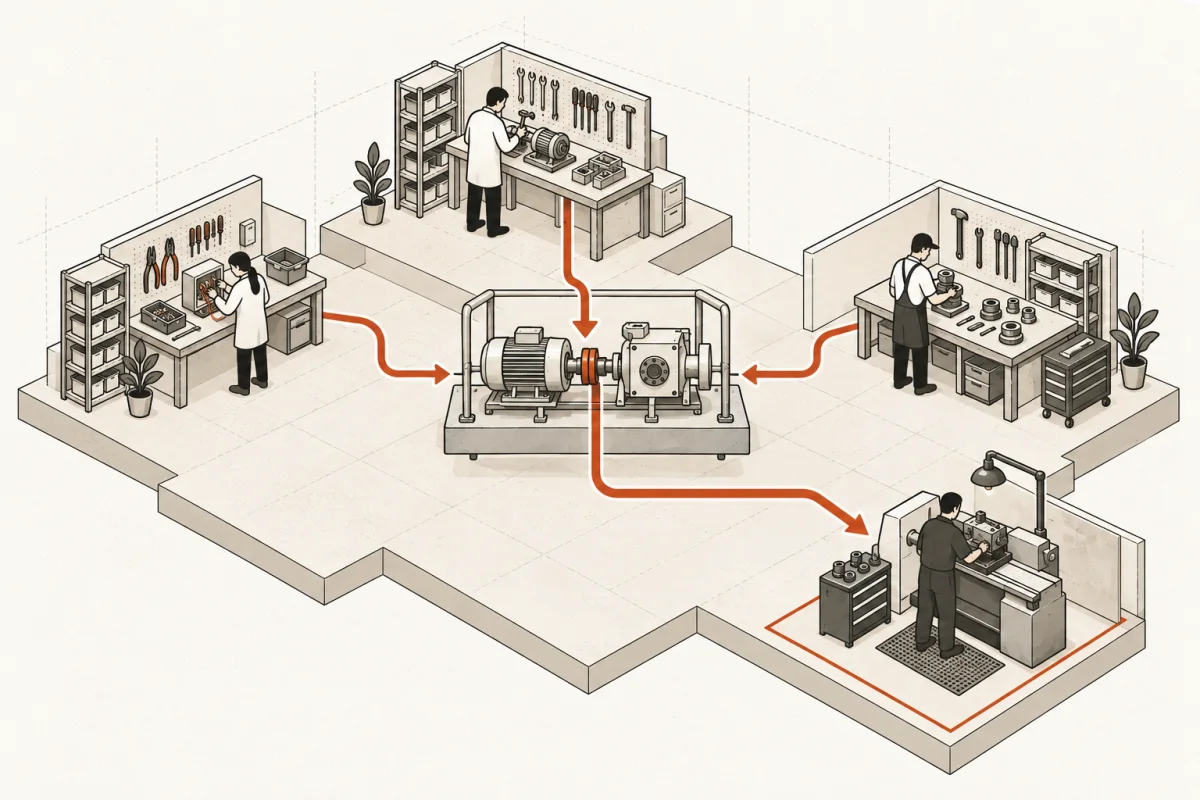
Your team does not need another one-hour AI presentation followed by a login, a prompt sheet, and silence. An effective AI employee training program changes how work moves through the business: how leads are qualified, how client files are prepared, how estimates are reviewed, and where a person still makes the final call.
That is a higher standard than teaching employees to use a chatbot. It is also the standard that produces a return. If AI training is disconnected from the work your staff performs every day, you are paying people to learn a tool they will not use when the queue gets busy.
Train the workflow, not the software
Most generic AI training starts with features. It shows employees how to summarize a document, draft an email, or generate a spreadsheet formula. Those capabilities can be useful, but they are not an operating model.
Start with the work that creates cost, delay, or inconsistency. A law firm may spend too much time organizing intake records before an attorney review. A construction company may lose hours moving field notes into estimates and project systems. An insurance office may have slow response times because staff rekey the same prospect information across three applications.
The training should be built around the complete workflow: what triggers it, what information enters it, what the AI prepares, what system receives the result, who reviews it, and what happens when the output is wrong or incomplete. Employees learn faster when the lesson begins with a familiar problem instead of an abstract tool.
A useful test is simple: if a team member cannot identify the exact task they will handle differently tomorrow, the training was too theoretical.
Define what AI can do and what it cannot decide
Employees hesitate to use AI when the rules are vague. Some avoid it entirely because they worry about exposing sensitive data. Others use it too freely because no one has stated where judgment must remain human. Both failures create cost.
Your AI employee training program should establish clear operating boundaries. AI can prepare a first draft, classify incoming requests, pull relevant details from approved business systems, flag missing information, and route work to the right person. It should not approve a legal position, make a medical determination, promise pricing outside policy, or send sensitive information into an unapproved platform.
These rules need to be specific to the department. A finance team requires different controls than a sales team. A healthcare office needs stronger safeguards around protected information than a retail operation processing product returns.
The core principle is straightforward: AI can accelerate preparation and surface information. Accountable people own the decision. That makes the system easier to trust, easier to audit, and less likely to turn a small error into a customer problem.
Build training around real examples from your operation
Generic examples waste time. Your employees do not need to practice drafting a fictional travel itinerary when their actual challenge is turning a 40-minute client call into a complete follow-up record.
Use sanitized but realistic materials from the business: a typical intake form, a sample service request, a job-site report, an order exception, or an anonymized customer email thread. Show the staff member the starting condition, the expected AI-assisted output, and the review steps before anything is released.
This also exposes process problems that have nothing to do with AI. If a system cannot reliably produce a useful draft because customer records are scattered, naming conventions are inconsistent, or the approval path is unclear, training alone will not fix it. You may need data cleanup, a software integration, or a redesigned workflow first.
That distinction matters. Do not train people to work around a broken process at higher speed. Fix the process, then train the team on the new way of working.
Give each role a short, job-specific path
One company-wide session is rarely enough. The owner needs to understand risk, investment, reporting, and accountability. A department manager needs to know how to monitor output quality and handle exceptions. Frontline staff need practical instruction on the tasks they perform, the inputs they are responsible for, and when to escalate.
Keep role-based training focused. A five-person accounting team may need a working session on document preparation and review controls. A sales team may need practice using an AI-assisted lead brief before a call, then recording corrections that improve the next brief. Operations leaders may need a dashboard that shows volume, turnaround time, exception rates, and usage.
The best training happens close to the deployment date, when employees can use the system in live work. Training too early creates forgetfulness. Training after an unfinished rollout creates frustration. The timing should match a working system, not a slide deck promise.
Measure adoption, quality, and time returned
Attendance is not adoption. A completed course tells you almost nothing about whether AI is reducing repetitive work or simply becoming another unused subscription.
Track a small set of operational measures before and after rollout. For most businesses, the right measures are weekly active use, percentage of eligible work processed through the new workflow, average turnaround time, rework or correction rate, and hours returned to staff. If the workflow touches revenue, track lead response speed, quote turnaround, conversion, or follow-up completion as well.
Do not expect every metric to improve immediately. In the first few weeks, staff may take longer as they learn review steps and identify edge cases. That is normal. The question is whether the process stabilizes and improves after the initial adjustment period.
If usage stays low, investigate before blaming the team. The system may add steps instead of removing them. The output may not be reliable enough. Managers may not be reinforcing the process. Or employees may have a legitimate concern about data handling. Low adoption is operational feedback, not a reason to send more reminder emails.
Make managers responsible for reinforcement
Training does not end when the session ends. Managers determine whether the new workflow becomes normal practice or optional extra work.
They should review a sample of outputs, collect recurring exceptions, and make fast decisions about what needs adjustment. Employees need a clear way to say, “This result was wrong,” without being told to write a better prompt and figure it out themselves. In a well-run implementation, that feedback leads to changes in instructions, data connections, routing rules, or approval thresholds.
This is where managed support can be valuable. AI systems need maintenance because the business changes. New services are added, policies shift, source systems change, and edge cases appear. A system that worked well in April may need revision by August. The goal is not to create permanent dependence on a consultant. It is to keep the operational system accurate while your people retain control.
Start with one workflow that people already want fixed
A broad AI training rollout sounds ambitious, but it often spreads attention too thin. Start with a workflow that is frequent, measurable, and painful enough that employees want relief. Good candidates include intake preparation, lead routing, meeting follow-up, invoice or document processing, proposal assembly, internal knowledge retrieval, and status reporting.
Choose carefully. The best first project is not always the biggest time sink. It should also have reasonably consistent inputs, a defined owner, and an obvious human review point. Highly variable work can still benefit from AI, but it usually requires more design and more careful training.
Main & Machine approaches training as part of the implementation, not a separate workshop. The point is to put a working system in front of the people who own the process, define the controls, and measure whether it earns its place in the operation.
A useful AI employee training program leaves your team with more than prompts and enthusiasm. It leaves them with a clear process, a working toolset, known limits, and the confidence to use AI without handing away their judgment.
Where this shows upWhat we actually build →